Mac
In your menu bar
Today’s percentage sits next to the clock. One click shows every period, the sunrise strip, and your next event.

Your day, week, month, quarter, year, and life as quiet progress rings and bars. On your iPhone, in your Mac’s menu bar, and in your terminal.
Free · Version 0.5.0 · macOS 14 and iOS 18 or later
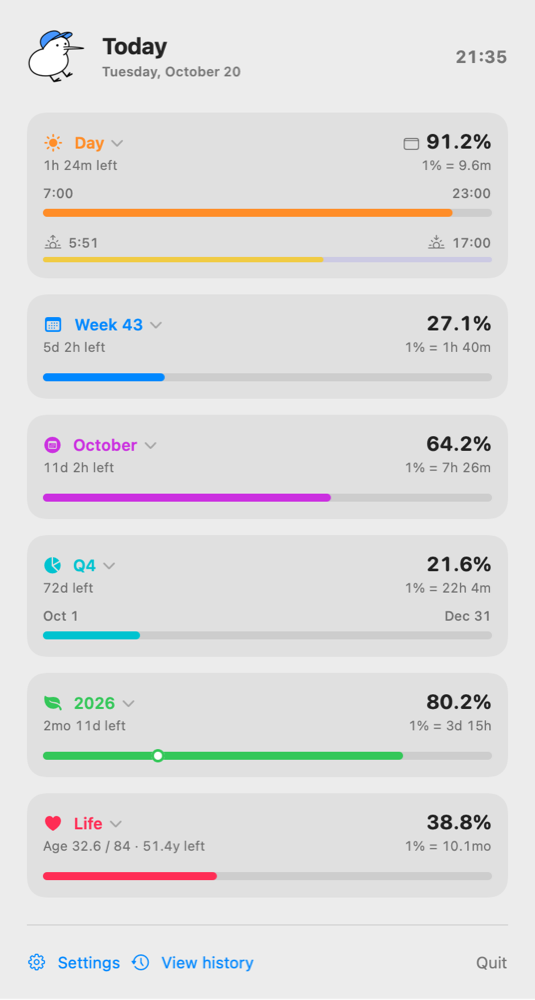

Mac
Today’s percentage sits next to the clock. One click shows every period, the sunrise strip, and your next event.
iPhone
Rings and bars on the Home and Lock Screen, a big day in StandBy, and the current period on your Dynamic Island.
Terminal
A live dashboard for macOS, Linux, and Windows, with plain, JSON, and Waybar output for scripts.
Choose when your day starts and ends, so sleep doesn’t count against you.
Drawn on the same timeline, calculated on your device.
Elapsed percentage, time left, and what one percent is worth.
Calendar quarters or Japan’s April–March fiscal year.
Your birthday on the year, and your age against an average lifespan.
How far through the current meeting you are.
Each glance is a check-in. Long gaps get a gentle nudge.
The Mac app and the CLI share a single settings file.


Meet Yuzu
Capybaras never rush, and Yuzu keeps you company the same way. It sits in your day ring while you’re awake and dozes off once your waking day is over, so you can too.
No account, no analytics, no ads. Everything is calculated on your device, and your birth date, location, calendar, and history never leave it.
Read the privacy policymacOS and Linux. Installs plenty into ~/.local/bin. On Windows, download plenty.exe.